
Client documents stopped needing to be chased by hand.
Every engagement starts with a list of documents and weeks of “just following up” emails. DocuChase turns that list into a live checklist that chases itself — and signs itself with RevSign.
Visit live — docuchase.revvit.io →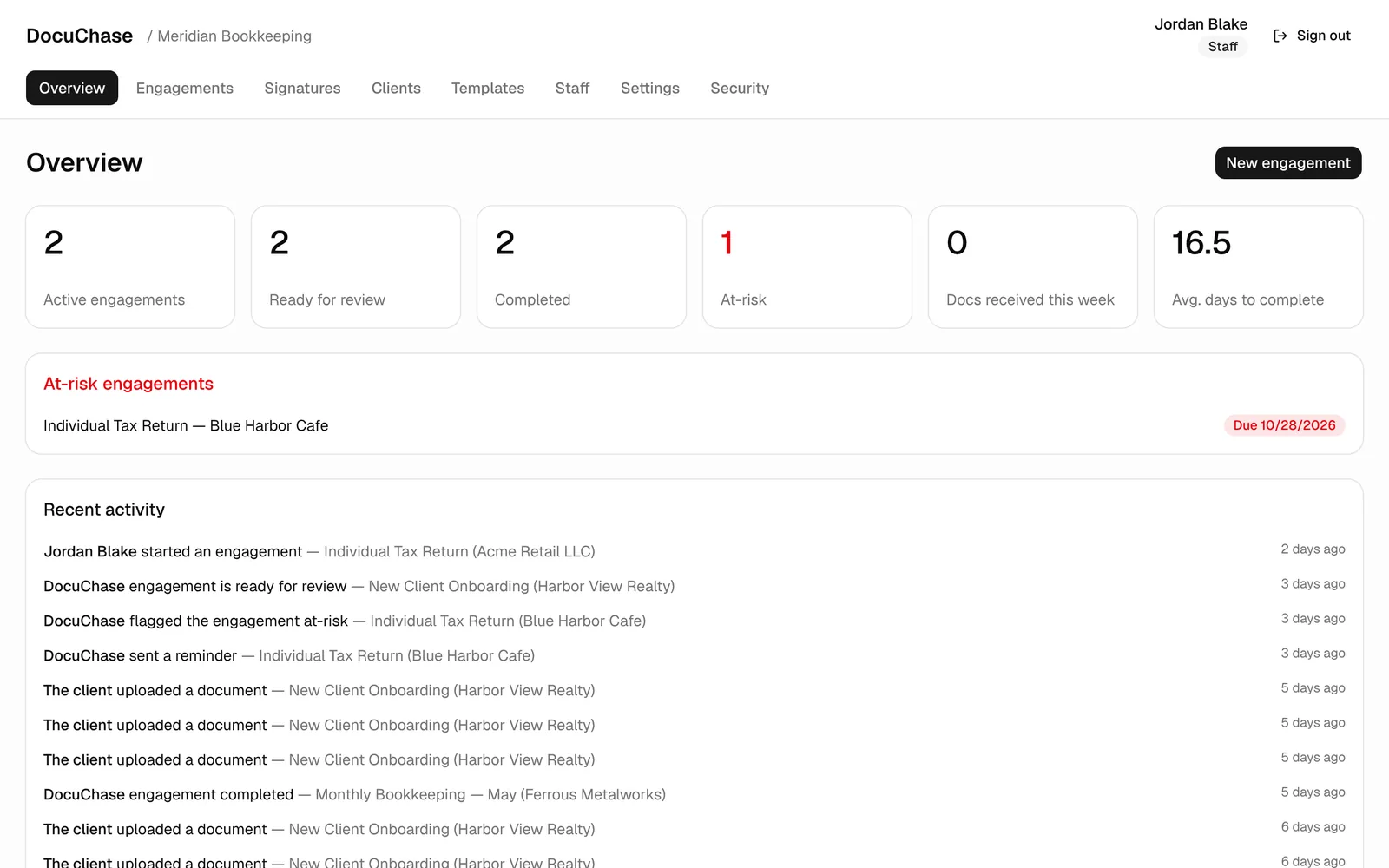
Overview
The mission, and our role.
The mission
Give accounting and professional-service firms a client portal that chases documents so staff don't have to — automated reminder cadences, drag-and-drop uploads with no client login, and built-in e-signatures with a court-ready certificate of completion.
Our role
Full product: the firm dashboard, the no-login client portal, the reminder engine, RevSign e-signatures, staff roles and retention policies — designed, built, and running in production, installable as a PWA.
The challenge
What kept going wrong.
The follow-up treadmill
Weeks of “just checking in” emails per engagement, with no shared picture of what's still missing or who owes it.
Signature round-trips
Anything needing a signature meant a second tool, a second login, and signers who miss a field and start the loop again.
Proof that holds up
Firms need more than a returned PDF — they need verified identity, a tamper-evident trail, and retention they can defend.
The solution
What we built.
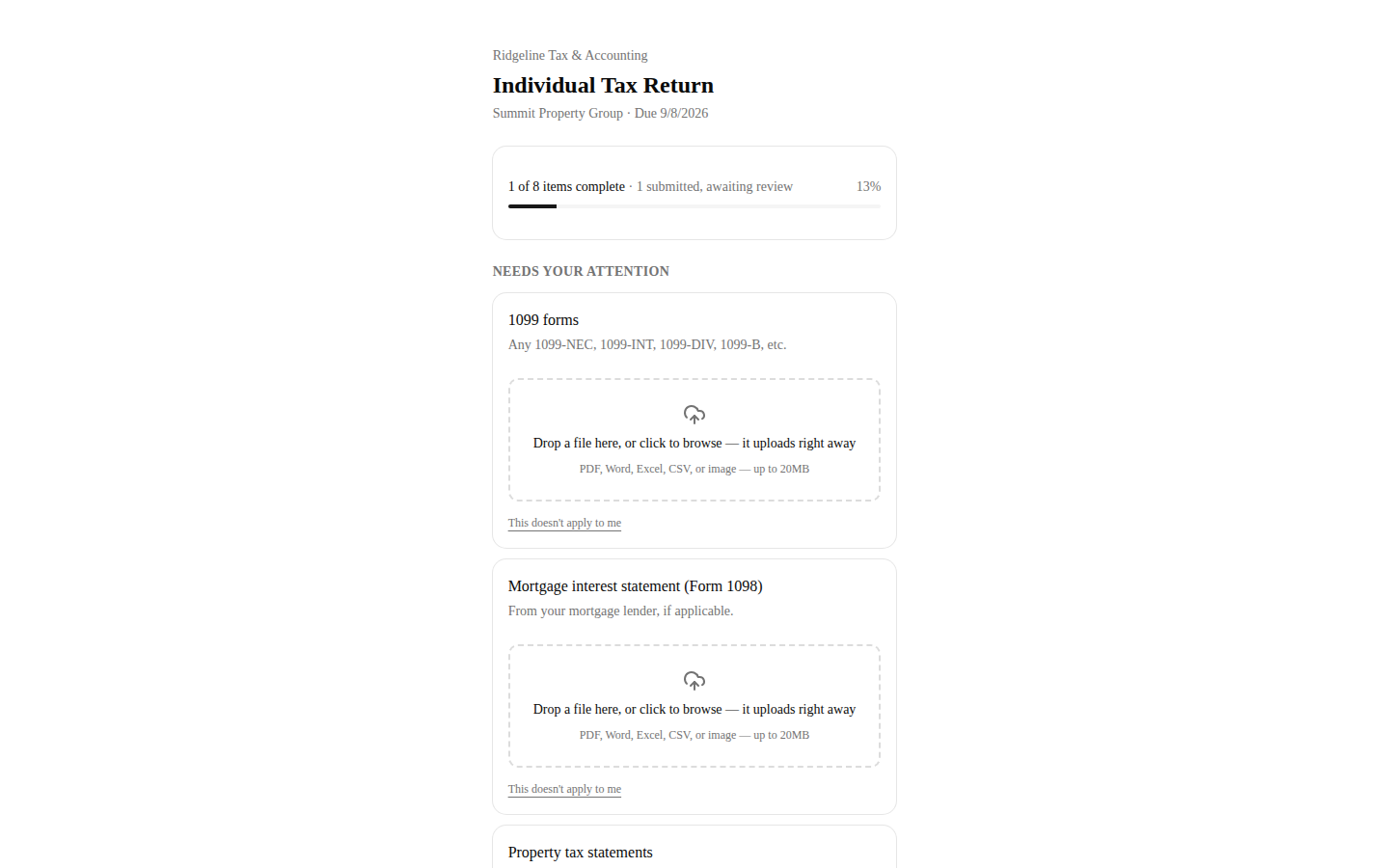
A portal clients never log into
- One secure link per engagementclients drag, drop, done — files upload the instant they're dropped
- A live checklist both sides seeaccepted, rejected, and still-missing items at a glance
- Reminders that stop themselvescadences with quiet hours and escalation — silence the moment work arrives
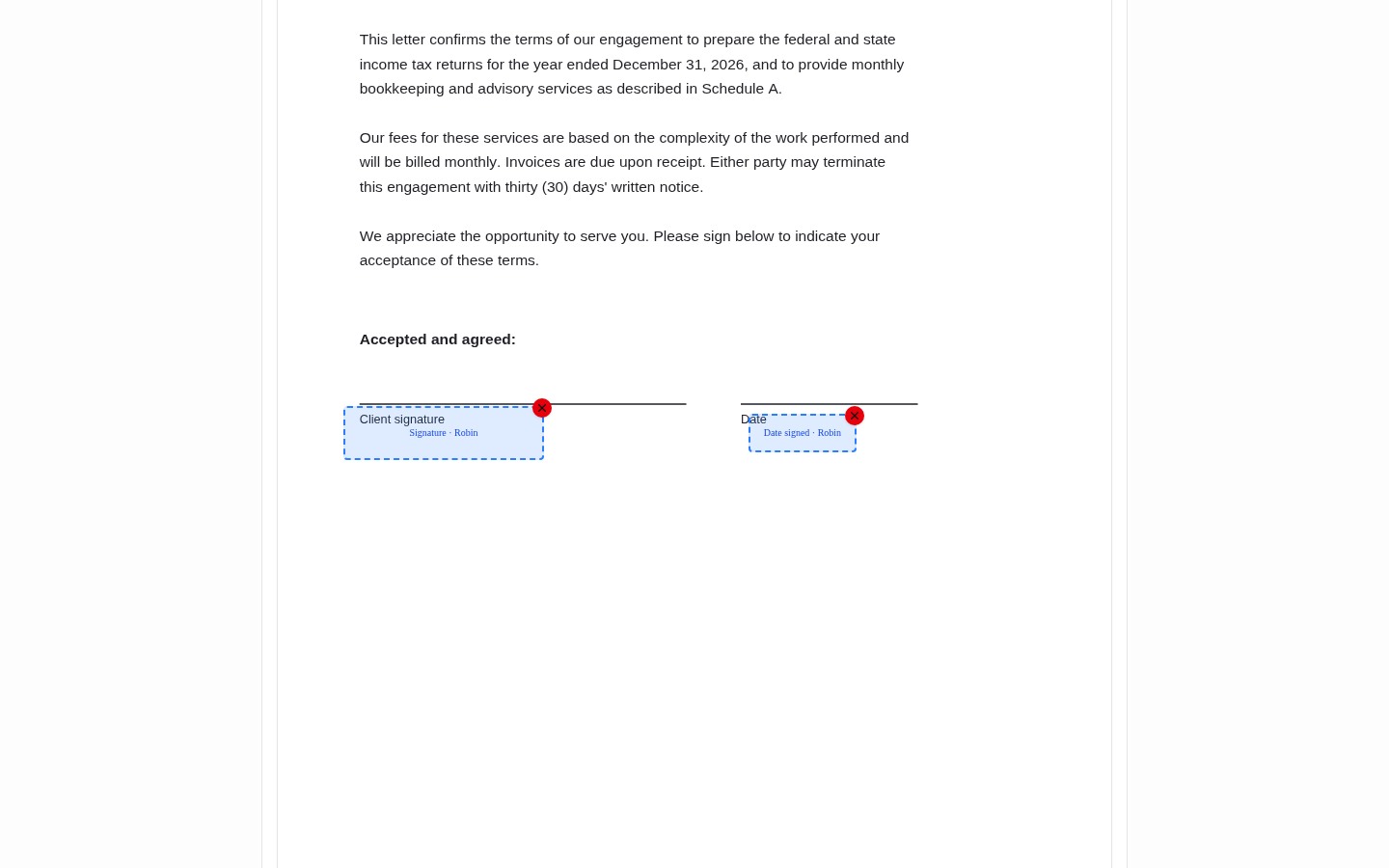
RevSign: signatures on the document's own lines
- Click-to-place fieldssignature, initials, and date exactly where they belong on any PDF
- Sign-every-spot integritysigners verify their email with a one-time code, then click each highlighted field
- Certificate of completionSHA-256 document fingerprint plus a per-signer audit trail — view, consent, signature, IP, device
Process
How it got shipped.
Map the flow
the document list, the chasing, and where engagements stall
Build the portal
firm dashboard plus a no-login client side that feels effortless
Wire in RevSign
placement, verification, signing, and the audit trail end to end
Run it in production
live with real firms, real engagements, real signatures
The result